Saturday, December 30, 2017

WowGo 2 Electric Skateboard


Subscribe by Email!
Written: 30 Dec. 2017
Last Updated: 30 Dec. 2016

The WowGo Electric Skateboard is one of the greatest products I've ever had the privilege of owning. It's a thrill to ride, so much fun, and practical too! I've owned it now for 2 months and have probably already put close to 150 or 200 miles on it. When riding downhill at 22+mph, carving back and forth, I actually get the same sensation I feel when snowboarding--except in this case I can do it right outside my house in my local neighborhood, and all-year-round!

I recently moved to a big city and I have been using my WowGo electric skateboard for the last month to ride to and from the subway station to get to work each day. I also use it for city commuting down-town. The ride to the subway station is just over 3 miles but I can complete it in 9~15 minutes, depending on traffic lights.


***Subscribe by Email!***

Monday, October 23, 2017

Which Programming Language Should I Learn?


Subscribe by Email!
Investing time into learning a first (or new) programming language is a seriously-time-consuming endeavor. For me it wasn't something to take lightly, as I knew I'd be investing thousands of hours into any given single language when I began. When people ask which programming languages they should learn or use, a great way to make recommendations is to consider these 3 things:
  1. Popularity
  2. Is it a scripted (interpreted) or compiled language, and how does that affect what I want to do with it?
  3. Which languages are most used in my industry or application?

1) Consider the popularity of languages. The more popular the language, the higher the priority it should be, within reason, since that's what industry uses and that's where you're going to find the most resources, help and support, compatibility with others, and jobs. The TIOBE index is the place to check:
"TIOBE programming community index is a measure of popularity of programming languages, created and maintained by the TIOBE Company based in Eindhoven, the Netherlands.[1] TIOBE stands for 'The Importance of Being Earnest' which is taken from the name of a comedy play written by Oscar Wilde at the end of the nineteenth century.[2]" (https://en.wikipedia.org/wiki/TIOBE_index).


Here's the index for 2017: https://www.tiobe.com/tiobe-index/. As shown above, the top 6, in this order, are:
  1. Java
  2. C
  3. C++
  4. C#
  5. Python, and 
  6. JavaScript. 
My top 3 recommendations are Java, C++, and Python, but not necessarily in that order. When it comes to you and your personal needs, goals, and desires, however, you need to choose for yourself! Here's some tips to help you make that decision.


***Subscribe by Email!***

Sunday, October 1, 2017

Arduino sine wave siren code using a lookup table in flash memory (PROGMEM)


Subscribe by Email!
By Gabriel Staples
Posted: 30 Sept. 2017
Last Updated: 30 Sept. 2017

Related Articles:
Other Articles:
(*Articles containing or linking to source code are marked with an asterisk)
Demo Video: 


***Subscribe by Email!***

Saturday, August 26, 2017

How to make a Linux Live USB with a 2nd, Windows-readable partition for storage


Subscribe by Email!
This article is a "Notes to Self" article. That means I wrote it for my own personal reference and use, with myself as the target audience during drafting, but decided to post it here because I believe it is useful to others too, and I want to reach as many people as possible, not just me. 

Ever wanted to have a bootable Linux USB flash drive with a separate, Windows-readable partition for general file storage? Here's how.

By Gabriel Staples
Written: 26-27 May 2016
Posted online: 26 Aug 2017
Updated: 26 Aug 2017

The Gist of it/The super short version:
-for the experienced Linux user
  1. Use gparted on a Linux computer to make 2 FAT32 partitions on the thumb drive. The partition created first must be for storage, while the 2nd one must be for the Linux distro you are putting on the Live USB.
  2. Use UNetbootin on a Linux computer to install your iso file for the Live USB onto the 2nd partition you just made above.
  3. Done. You can now boot from the USB thumb drive, from its 2nd partition, while its 1st partition only is readable and usable by Windows still (as well as by Linux or Mac too of course).


***Subscribe by Email!***

Wednesday, April 12, 2017

Computa Pranksta USB Mouse & Keyboard Device User Manual


Subscribe by Email!
100% SATISFACTION GUARANTEE: If you've already purchased a Computa Pranksta from me and need expert support, PLEASE CONTACT ME VIA EMAIL FIRST AT THE ADDRESS JUST BELOW [or even better: open up a public issue on my GitHub support page here] so I can help you out before you consider leaving a negative review. I'll help you, I promise! 
Furthermore, the difference between a 3.99 and 4.01 star rating on Amazon is roughly 200% or more in sales! Please consider carefully if you're thinking about leaving less than 4 stars. Again if you have any problems with or questions about the product PLEASE SEEK SUPPORT FROM ME VIA A PUBLIC GITHUB ISSUE ABOVE (PREFERRED) OR EMAIL (ALSO FINE) FIRST.


Computa Pranksta Mouse Jiggler now available on Amazon! 
Click link above or image below to go to Amazon and purchase.

Also available now on Ebay! See my listing, as Ebay seller "electricrcaircraftguy", here.

Computa Pranksta User Manual
For Device Version: v0.90.0 or later
By Gabriel Staples
Written: 12 Apr. 2017
Last Updated: 9 Feb. 2019
Update History (newest on TOP):
-20200908 - added GitHub support page and CAD files for 3D-printed case
-20200214 - copied and pasted my recommended mouse jiggler settings from Amazon
-20190209 - added 2nd YouTube video: Reconfiguring the Computa Pranksta for use as a USB Mouse Jiggler to keep your screensaver off
-20180505 - added "Quick Reference 'Cheat Sheet'" picture
-20180324 - added link to my listing on Ebay too
-20171228 - added list of associated keywords to end
-20170717 - added YouTube video: "How to Use & Configure..."
-20170423 - bug section updated w/some info about Caps Lock Response Mode 10
-20170422 - now available for sale on Amazon! Purchase links added.
-20170421 - added images
-20170416 - added bug notes; minor additions
-20170412 - initial version

[NEW as of Sept. 2020] GitHub page: 


[As recommended on Amazon]
FOR USE AS A USB MOUSE JIGGLER TO KEEP YOUR SCREENSAVER OFF, set the settings as follows:
  • Keyboard Typing Mode: 0 (OFF)
  • Keyboard Timing Mode: anything
  • Mouse Move Mode: 2 (randomMouseBuzzAround) or 4 (multiCursor 2)
  • Mouse Timing Mode: 5 (every 30~60 sec) or 6 (every 1~5 min)
  • Caps Lock Response Mode: 0 (OFF)

Quick Reference "Cheat Sheet"
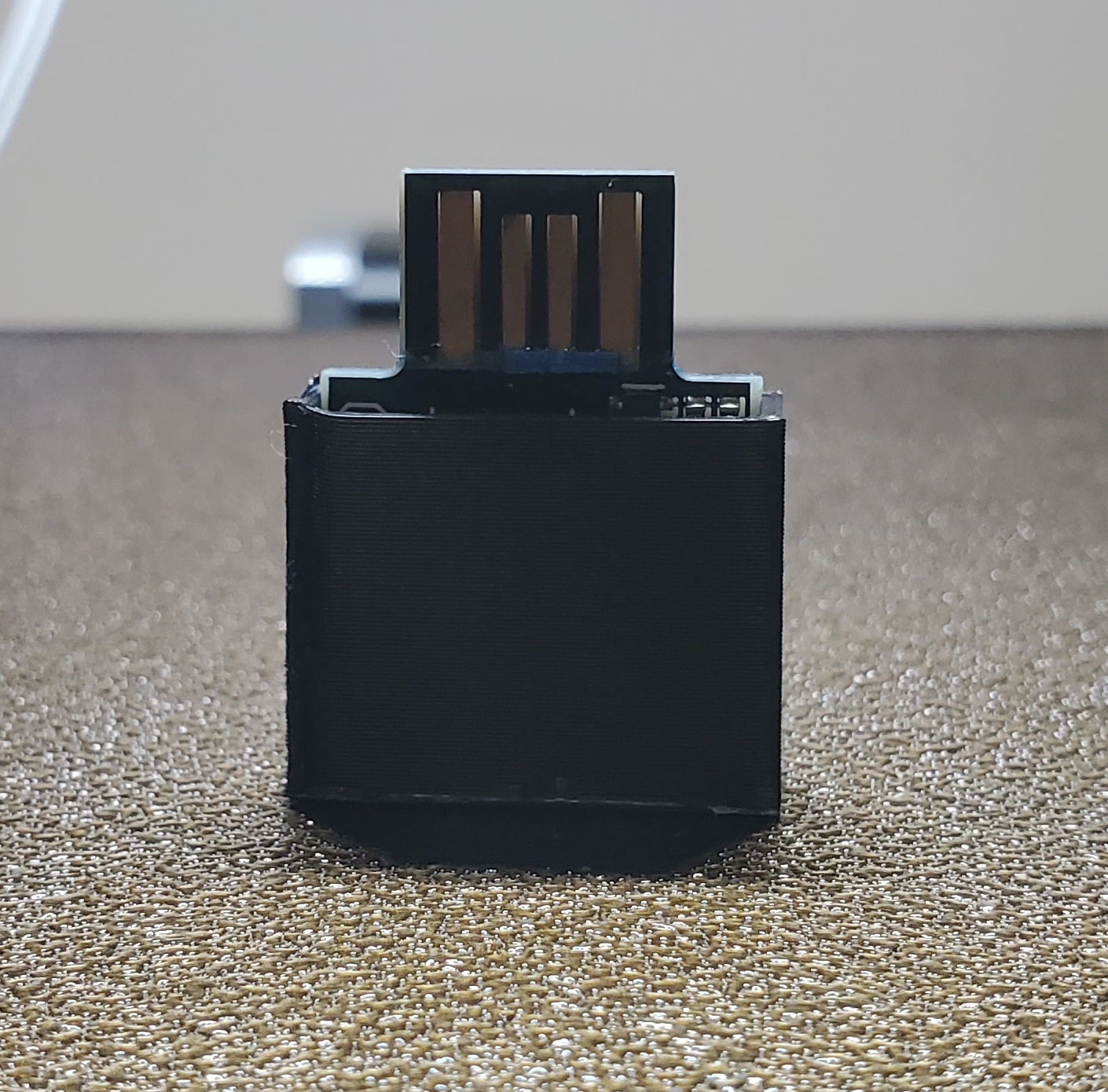
Congratulations on your purchase of the Computa Pranksta USB Mouse and Keyboard device. Don't have one yet? Click the link above to purchase it on Amazon. This device is great for playing tricks on your friends, or just for keeping your computer awake when giving presentations, watching movies, playing certain video games (like Real Flight RC simulator) or when you don't have admin rights to change screensaver and screen lock settings.

This devices does NOT require any software or special drivers on your PC. It simply tells the computer it is a standard Human Interface Device mouse and keyboard. If your computer tries to detect a new device and install a driver, don't worry about it--even if it says it "fails." The device will work anyway.


Video 1/2: How to Use & Configure the Computa Pranksta USB Keyboard & Mouse Prank Device

Video 2/2: Reconfiguring the Computa Pranksta for use as a USB Mouse Jiggler to keep your screensaver off:


***Subscribe by Email!***